
The same app, not the same classroom.
A K4 class and a Grade 3 class do not need the same thing. Here is what LinoClass does for each grade, with screenshots and without vague promises.

The observation portfolio
Photos, drawings, the child's voice. The child signs in with no password, families see the day and then the week.
See the page →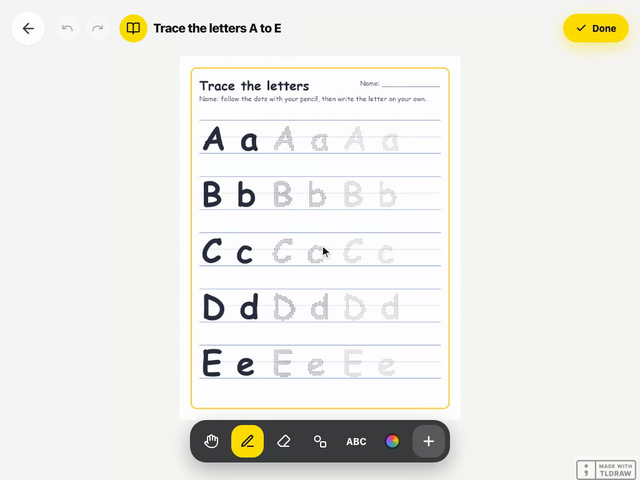
Worksheets on the tablet and first points
Tracing letters and numbers, submissions on one screen, a portfolio that fills itself.
See the page →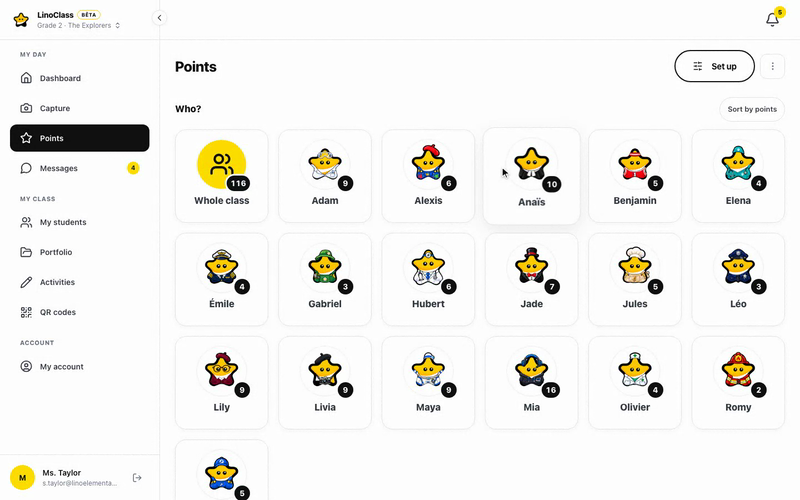
Points, privileges and families
Class challenges, a privileges store, a history. Messages and announcements to families.
See the page →
A points system that lasts until June
Built for ages 5 to 8, LinoClass also works in Grade 3: points, activities handed in on the tablet, class feed.
See the page →From one grade to the next
What does not change
Whatever the grade, the same three things stay true.
No passwords for students
One QR poster per class, valid all year. The student scans it and taps their name.
Families, through an email link
No account, no app. The class feed, their child's page, an email on Friday.
Hosted in Canada, Law 25 compliant
Data stays in Quebec. Parent consent is asked for, and nothing leaves without your approval.
Ready to try it with your class?
15 minutes to create the class and print the QR poster. Free for up to 35 students, no credit card.