
Every small step leaves a trace.
A photo of the block tower, a drawing, the child telling the story behind it. In Kindergarten, everything that matters happens in the room and is gone by three o'clock. LinoClass keeps it, and shows families the same evening.
Free for up to 35 students · no credit card · 15 minutes to set up

The whole class portfolio, without the binder
Open the tablet, take the photo, tap the child's name. That is the whole job. The portfolio sorts itself by student and by type, and it stays put all year.
- Photos, drawings, videos and audio recordings in one place
- Filter by student or by type of content in one tap
- You decide what families see: nothing leaves without your approval

Each child has a page
A student's page gathers their photos, drawings and words. At report time or a parent meeting, it is already there, in order.
- A count of items, photos and drawings for each child
- The Capture button right on their page
- Teacher and family comments stay attached to the work

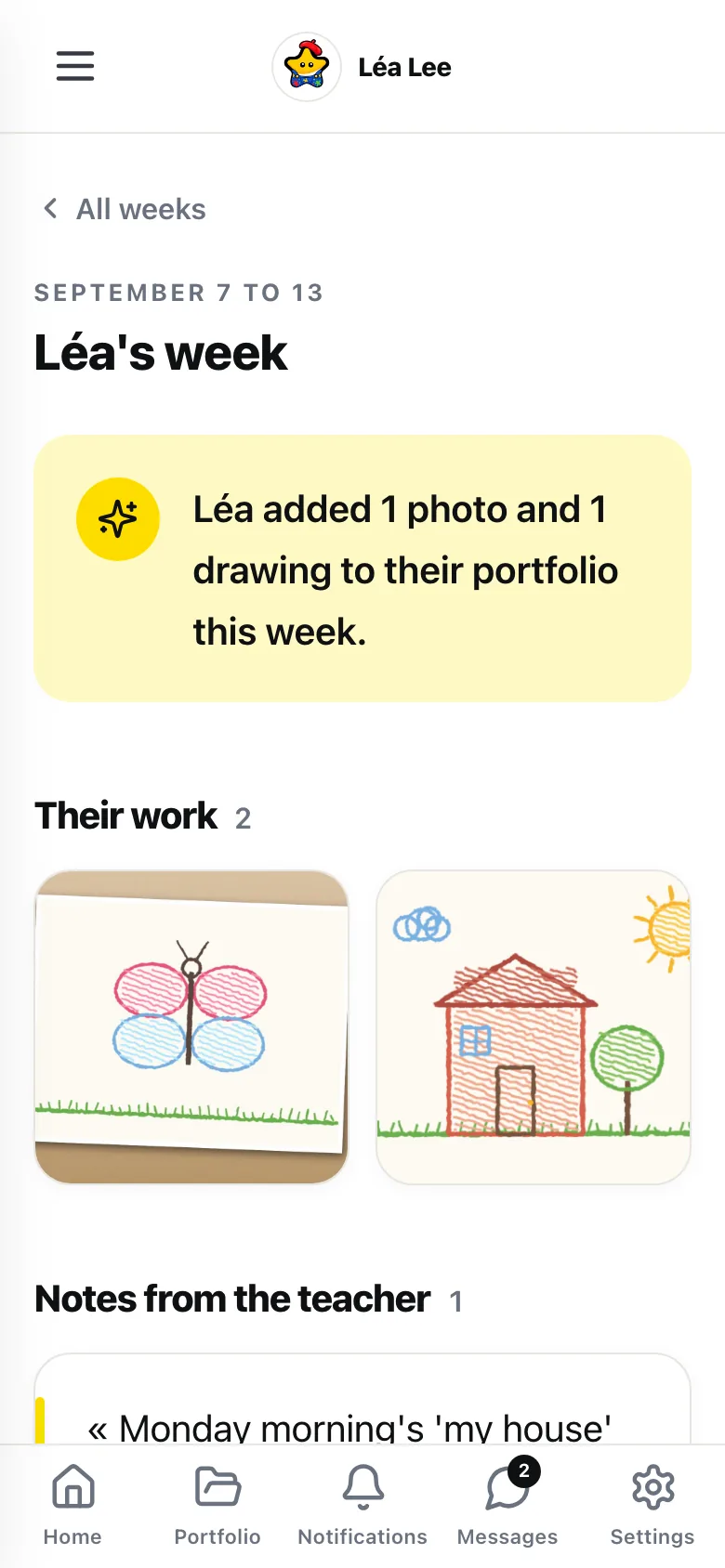
At home, families see the day, then the week
Families get a link by email and they are in. No account, no app to install, no password. The feed shows what is new, and the Weeks page keeps every week of the child's year to look back on.
- A recap email every Friday
- A heart, a thumbs-up or a comment back, which you approve before it appears
- Each parent picks their language, English or French
The child signs in alone, with no password
Nobody types a password at five. The child points the tablet at the class poster, finds their name and their avatar, and they are in their portfolio.
- One printed QR code per class, valid all year
- Active during school hours only; the session closes after 8 hours
- Every child gets a job avatar: firefighter, vet, astronaut

A day in class
A day in Kindergarten
Four moments when LinoClass does the work while you teach.
A message from a parent is waiting
You open LinoClass on the class tablet. Léa's parents have written: she is at her dad's this week.
The fourteen-storey tower
At the block centre, a fourteen-storey tower. Photo, child's name, and it is in the portfolio before the tower falls.
Theo explains his drawing
You record his voice, twenty seconds. It stays attached to the drawing, for his family and for the June report.
The day, on a phone
Families open the feed. The tower, the drawing, Theo's voice. On Friday, the week's recap lands by email.
Why this grade
Built for a room where nobody reads yet
In Kindergarten, learning can be seen and heard, but the learner cannot write it down. The program asks you to observe, and observation takes time you do not have. LinoClass starts from there: a capture takes ten seconds, and there is nothing to file afterwards.
- Zero text for the child.Icons, big buttons, avatars: the student screens read without reading.
- The teacher decides.Everything passes through your approval before it reaches a family.
- Free to start.Photos and drawings for a whole class, no credit card. Video and audio are part of the Pro plan.

Privacy
These are five-year-olds' data. We treat them that way.
Hosted in Canada, compliant with Quebec's Law 25, no ads. Parents decide what can be captured of their child, and you decide what they get shown.
Hosted in Canada
Your students' photos, drawings and work live on servers in Quebec and do not leave. No out-of-country transfer for your board to assess.
Parent consent, Law 25
Each parent allows or refuses photos, video and audio for their child, separately. You see the class consent report, and the camera greys out for a child without permission.
No ads, no data resale
A teacher or a school pays, never an advertiser. We do not sell data, and there is no advertising tracker.
No passwords for children
One QR poster per class, valid all year and active during school hours only. Nothing to remember, reset or leak.
Nothing leaves without you
A photo or a piece of work reaches families only when you approve it. Family comments pass through you before they appear, too.
Deletion on request
A parent can ask for their child's data to be erased, and a teacher who leaves can download everything and then have it all deleted, within 30 days.
Frequently asked
What Kindergarten teachers ask us
Does it work for four-year-olds?
How does a five-year-old sign in without a password?
What do families see, and when?
What if a parent refuses photos?
Is it really free for a Kindergarten class?
Start with your group this week
15 minutes to create the class and print the QR poster. Free for up to 35 students, no credit card.
How to print the class QR code: the guide